
Everything you need to run your team—without the chaos.
Manage your roster, practices, lineups, game day, and parent communication from one place.
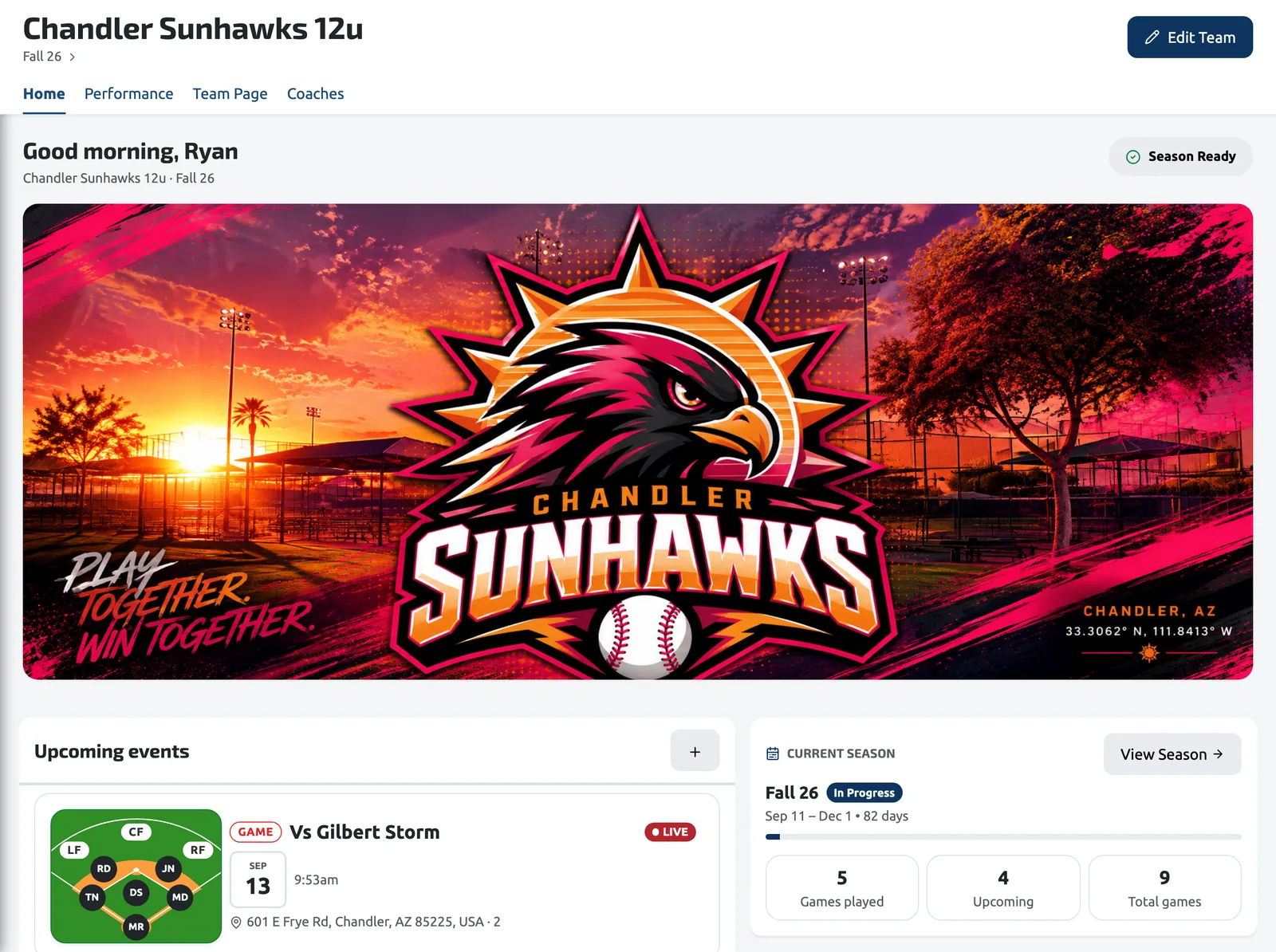
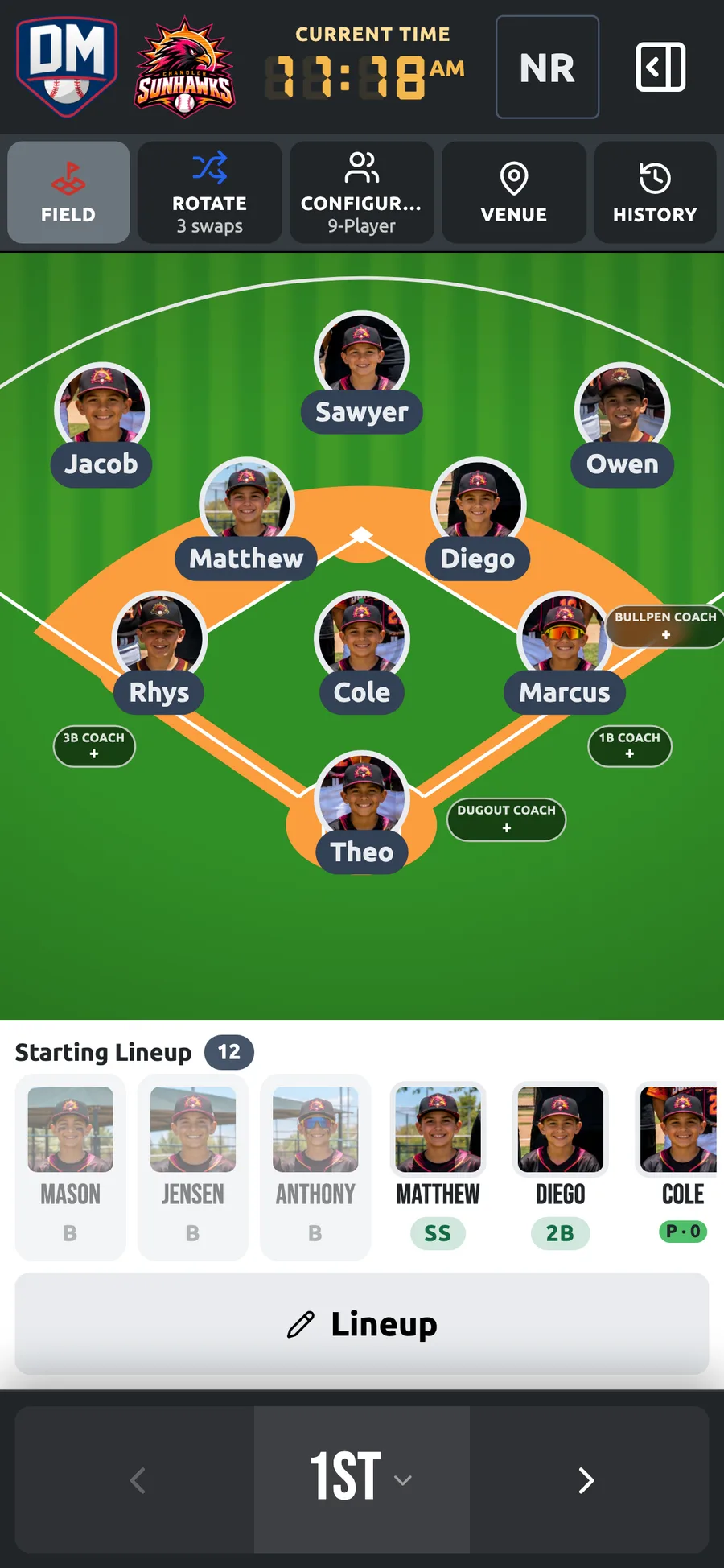
Built Around the Way You Coach
You're the head coach, the assistant, the scheduler, and the parent liaison. Here's what usually gets in the way.
Coaching alone
No assistant to hand the clipboard to. Every decision — lineup, positions, substitutions — lands on you, usually while a game is already moving.
Parent communication
The same schedule retyped into a dozen group texts, and someone still shows up at the wrong field at the wrong time.
Practice planning
Building a practice plan the night before, from scratch, because last season's plan lives in a notebook you can't find.
Lineup management
Erasing and rewriting the whiteboard every inning, then trying to remember who has already sat and who hasn't.
Fair playing time
Keeping rotations honest across a season is a math problem you shouldn't have to solve from memory between innings.
Staying organized
Rosters in a spreadsheet, schedule in an email, notes in your phone, stats somewhere else entirely.
How Dugout Master Fits Your Workflow
Dugout Master follows the same rhythm your season already does — before the game, during it, and after.
Before Game Day
- Organize your roster with photos, numbers, and positions
- Schedule games and practices on one season calendar
- Plan practices from a reusable drill library
- Build your batting order and defensive lineup
- Share it all with parents through your Team Page
During the Game
- Manage defensive positions on an interactive field
- Track the batting order as the inning moves
- Rotate players and see who is due to sit
- Make adjustments in real time without erasing anything
After the Game
- Review playing time and bench distribution
- Prepare the next lineup from what actually happened
- Write notes while the game is still fresh
- Plan the next practice around what needs work
Features That Matter Most
The tools a one-coach operation leans on most, without the clutter of everything else.
Your season, one screen at a time
Real views from Dugout Master — the same screens you'll use at practice and in the dugout.
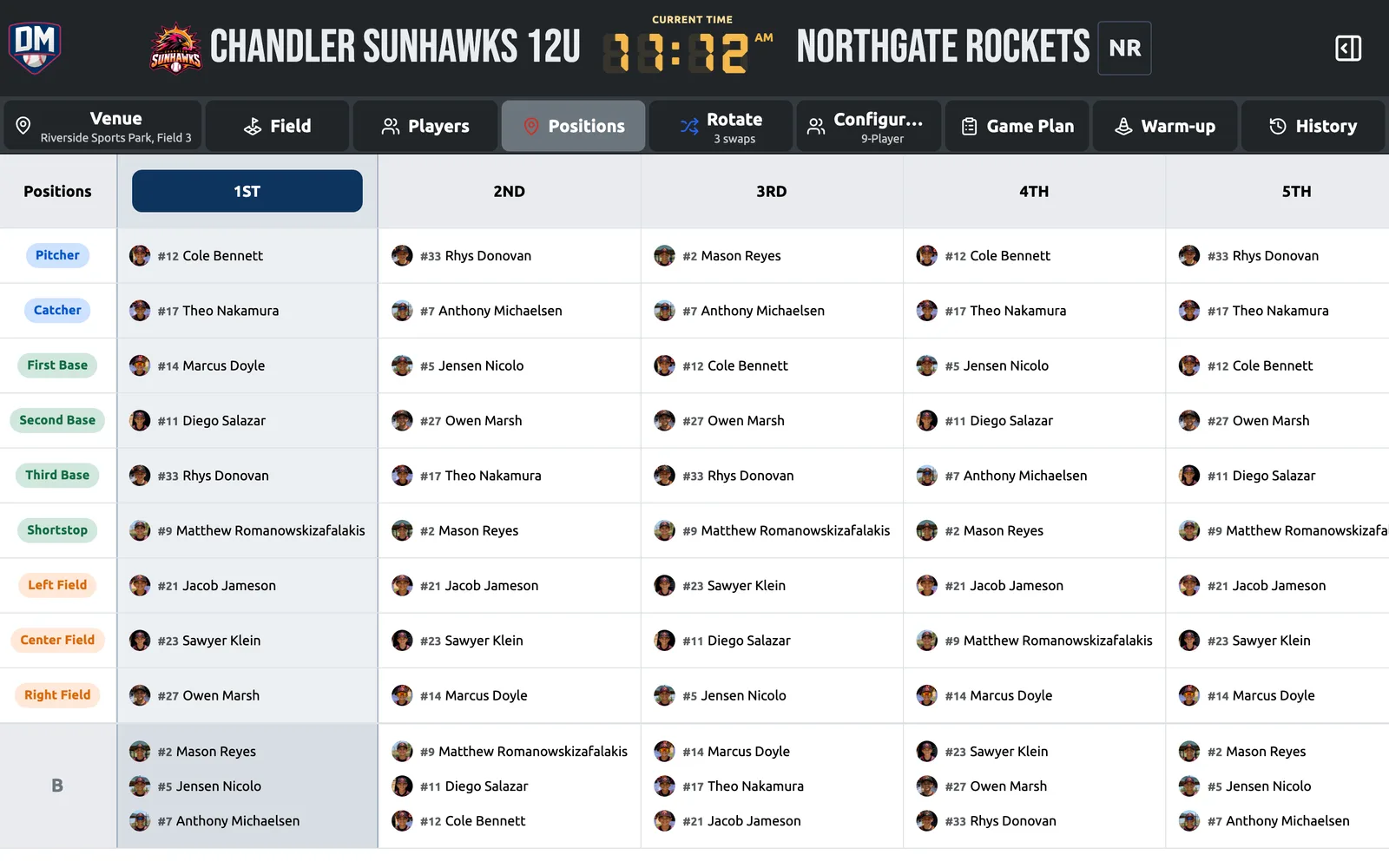
Positions, Inning by Inning
Every inning in one grid — see at a glance who has played where and who is due to sit.
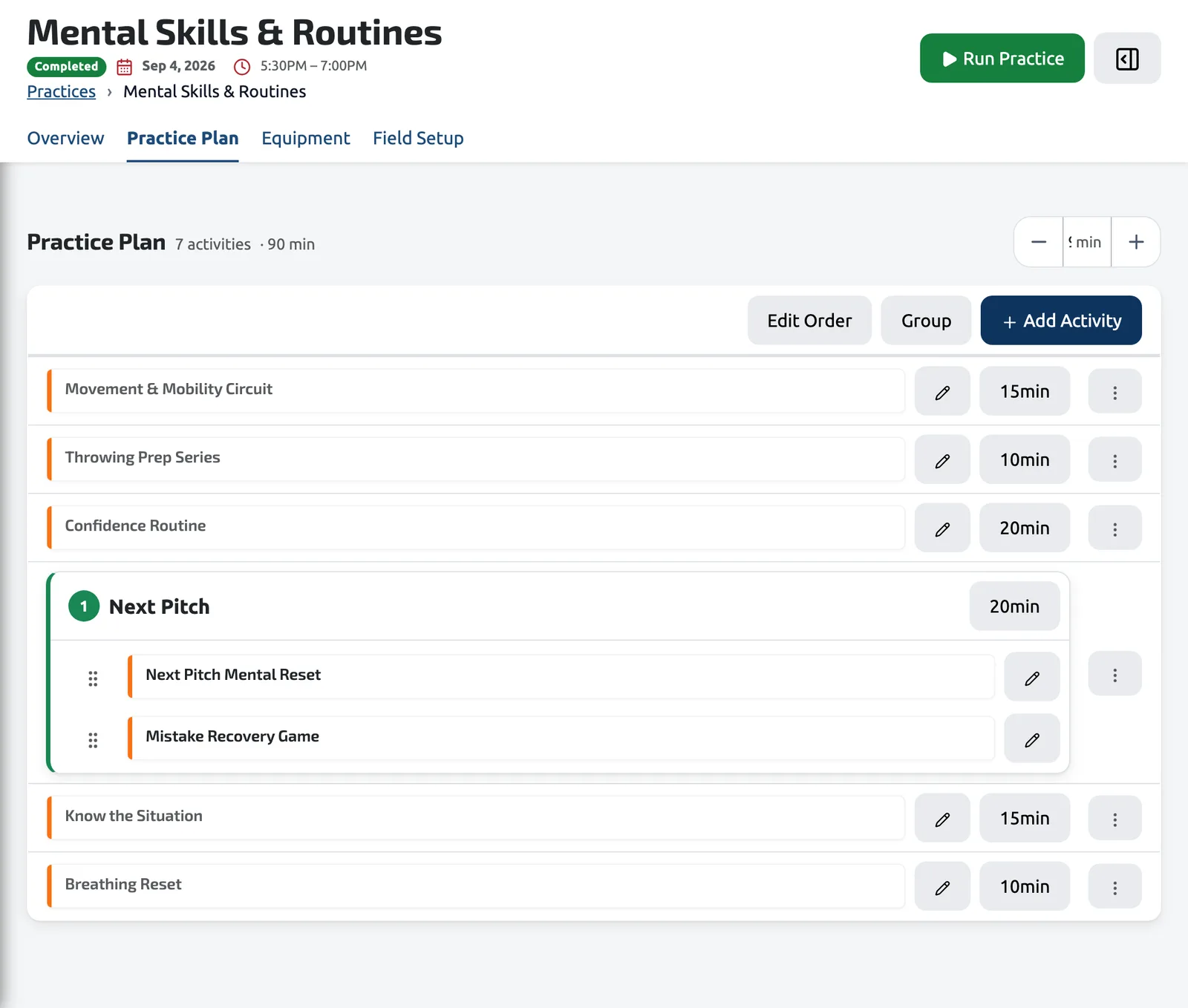
Practice Planner
A timed plan built from your drill library, with stations, groups, and the equipment each one needs.
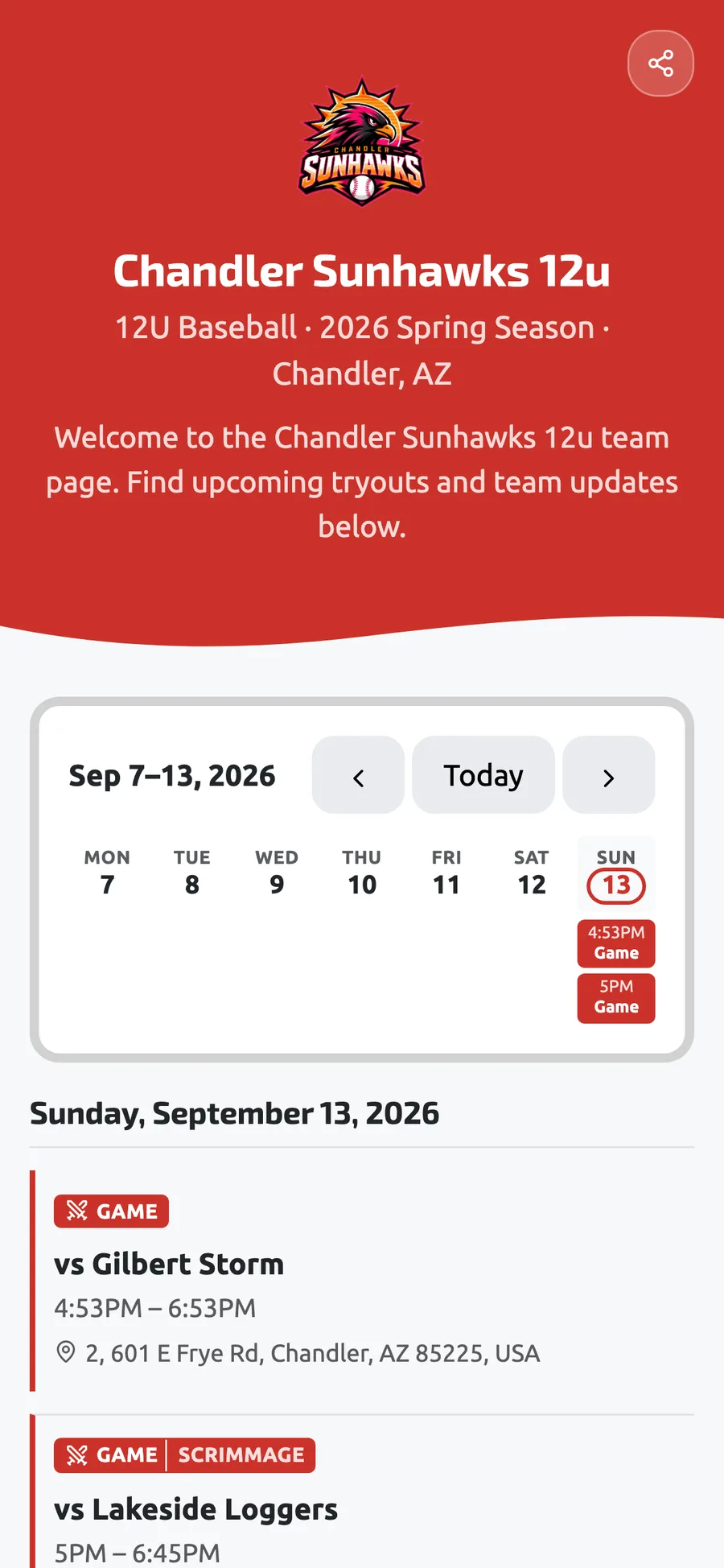
Team Page
A public page and printable QR code your parents bookmark once and always see the current schedule on.
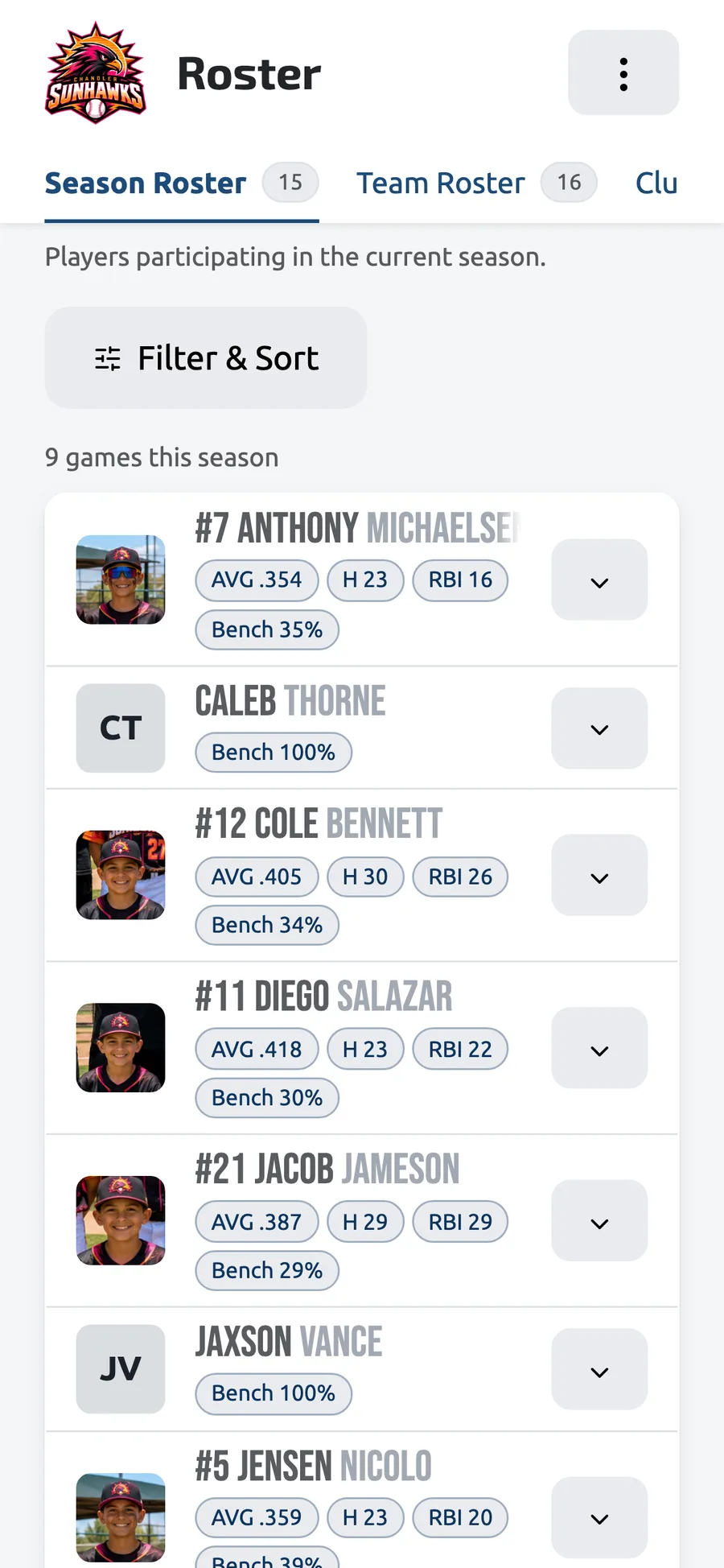
Your Roster, In Your Pocket
The season roster with stats and bench percentage on your phone, in the dugout or at home.
Frequently asked questions
Ready to simplify your season?
Start free, set up your roster and first lineup in an afternoon, and add Pro when you want tryouts and practices.