
When It's Game Time, You're Ready.
Bring your lineup, rotations, player information, and game plan into the dugout — and keep everything moving when the game gets chaotic.
- Batting order and positions, inning by inning
- Bench tracking so rotations stay fair
- Live sync across your whole staff
- Undo history and a coach PIN lock
Everything You've Been Working On Comes Together
Before the first pitch, every inning, and after the final out.
Set the Lineup
Build the batting order and defensive alignment before you leave the house, or let auto-fill propose a fair one.
Run the Innings
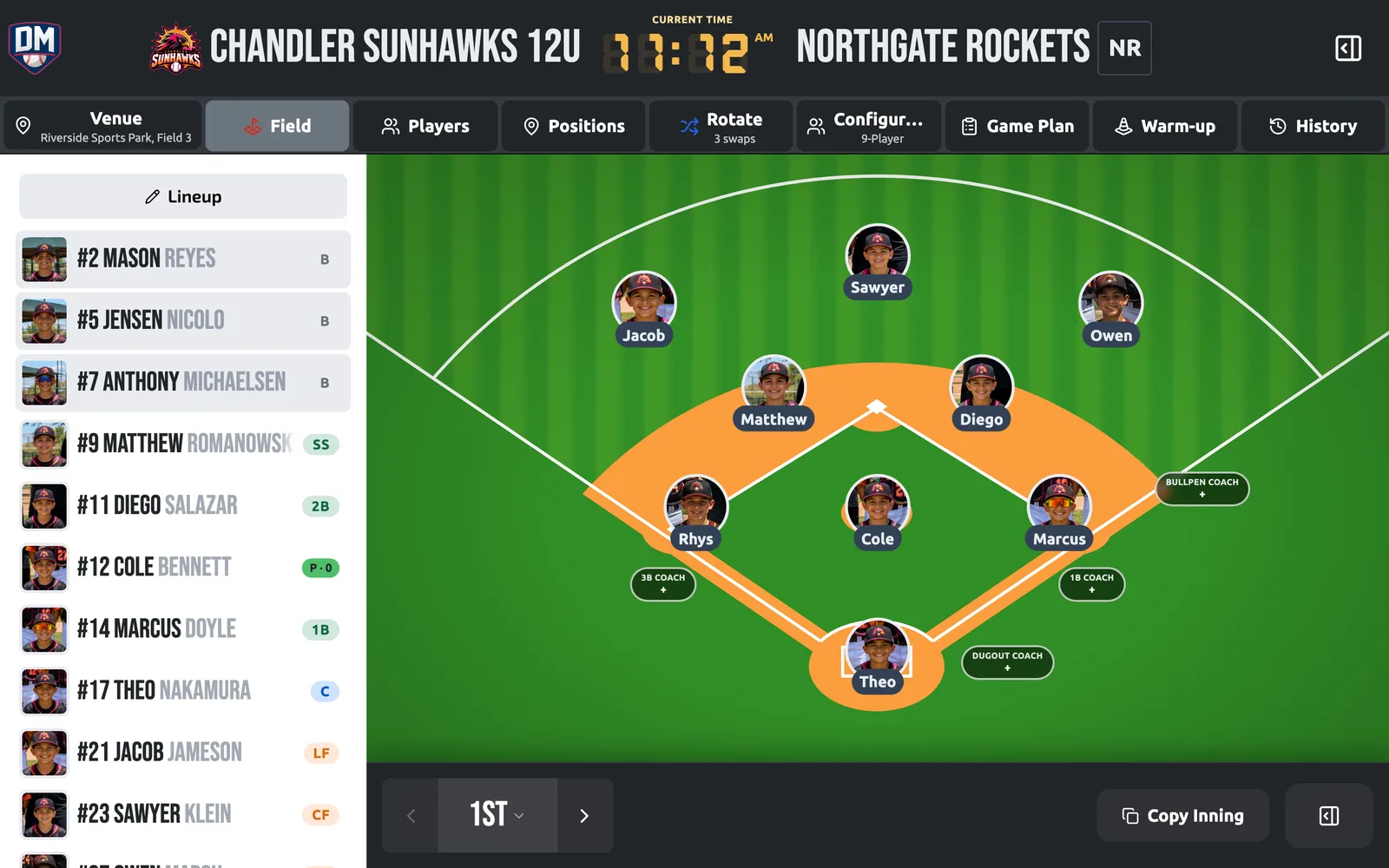
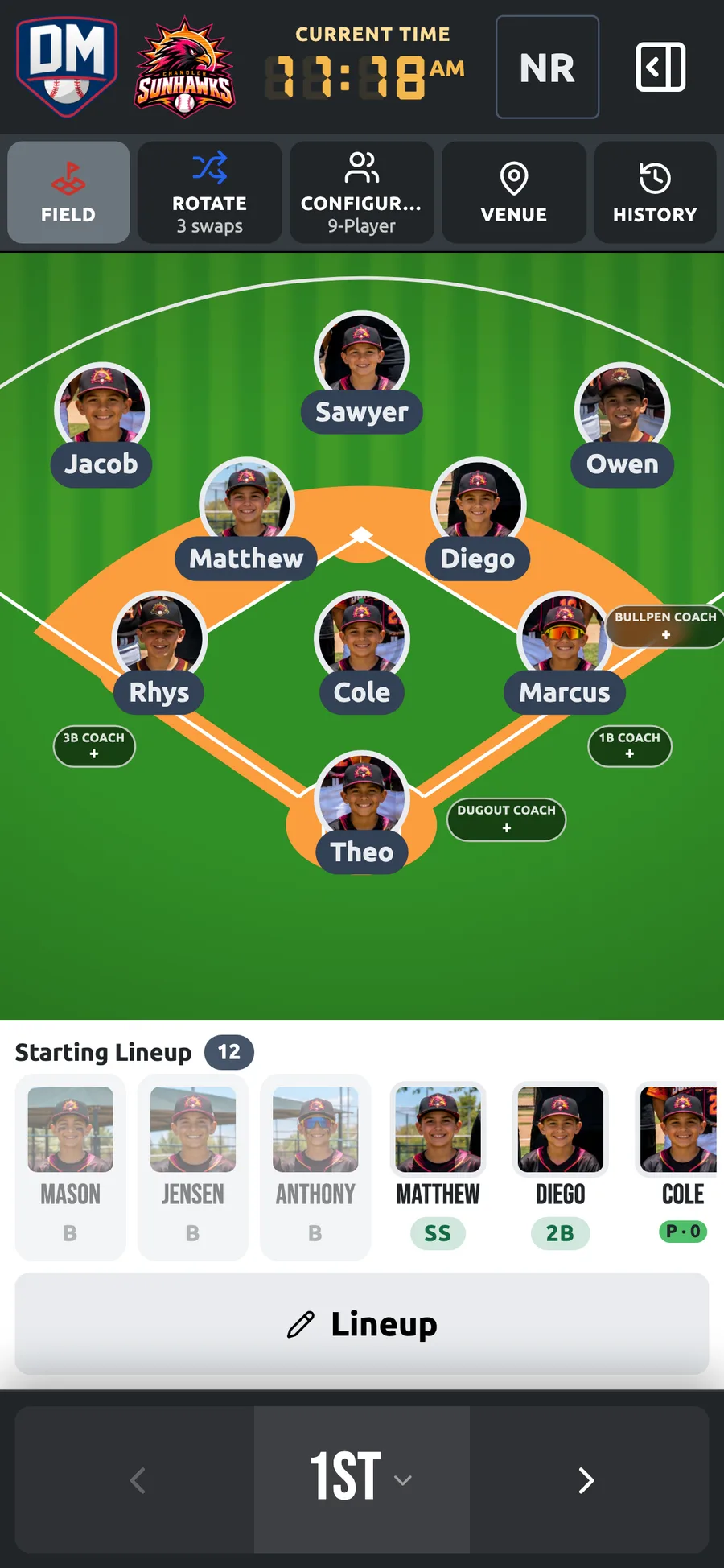
Move players on an interactive field, track who's batting and who's on deck, and adjust each inning without erasing anything.
Keep It Fair
See who has sat, who is due, and where everyone has played. Rule checks flag pitching and lineup problems before they cost you.
Share the Plan
Send the lineup as a card, plain text, or print — parents and assistants see it instantly.
Close It Out
Record the result and a post-game summary. Playing time and positions flow into every player's season record.
Game day is the moment all your preparation comes together. Not a whiteboard you rewrite every inning.
Built for the Dugout
Fast, in-game decisions on a phone or tablet, with a printed backup in your pocket.
Batting Order
Drag to reorder, tap to sub, and track the batter and on-deck through every inning.
Interactive Field
Assign positions on the field itself. Saved presets put your default alignment back in one tap.
Bench & Rotations
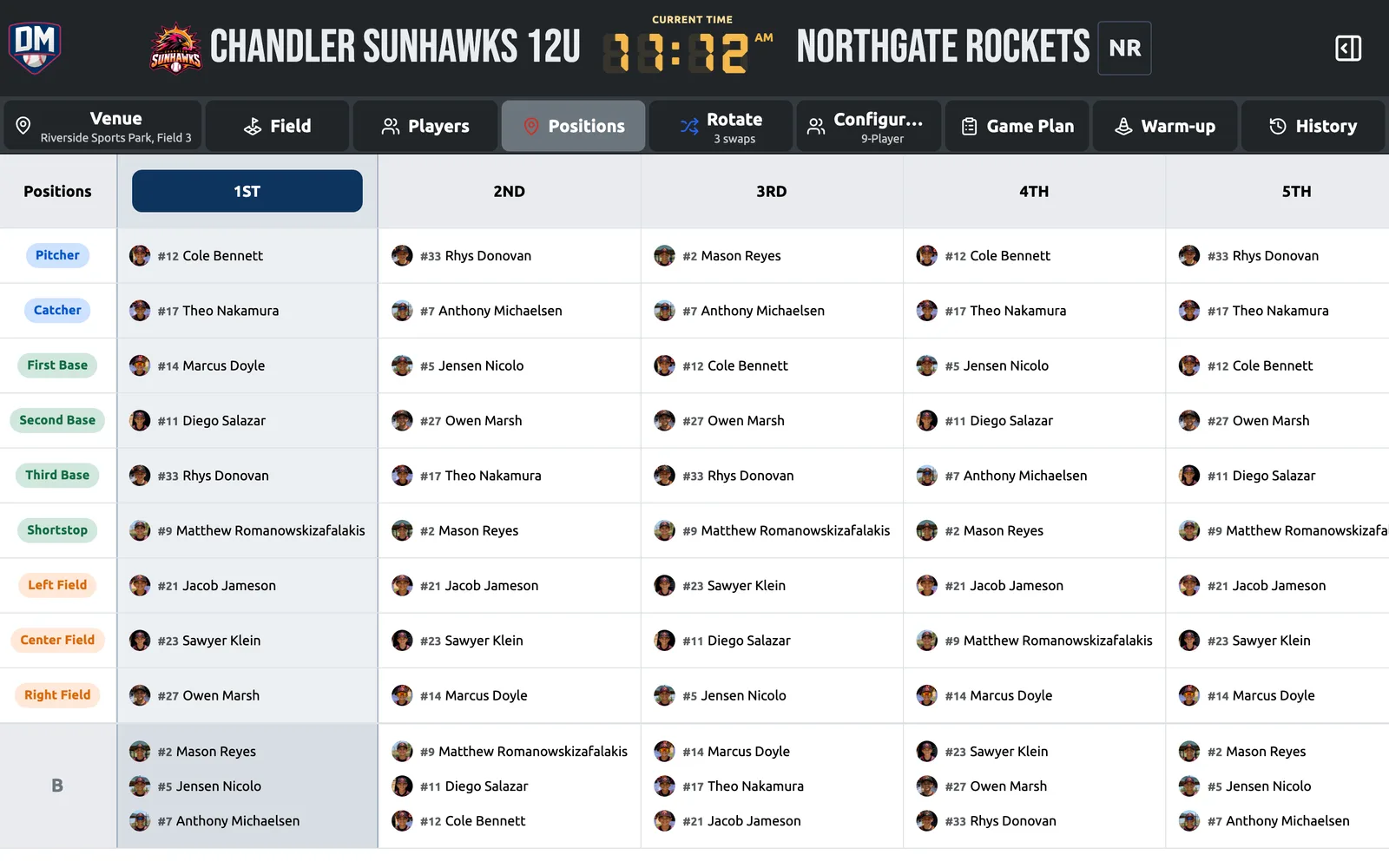
Who's sitting, who's due, and position distribution across the game and the season.
Smart Auto-Fill
Generate a fair lineup that balances bench time and respects pitcher and catcher.
League Rule Checks
Pitching limits and lineup rules checked against your league, with one-click fixes.
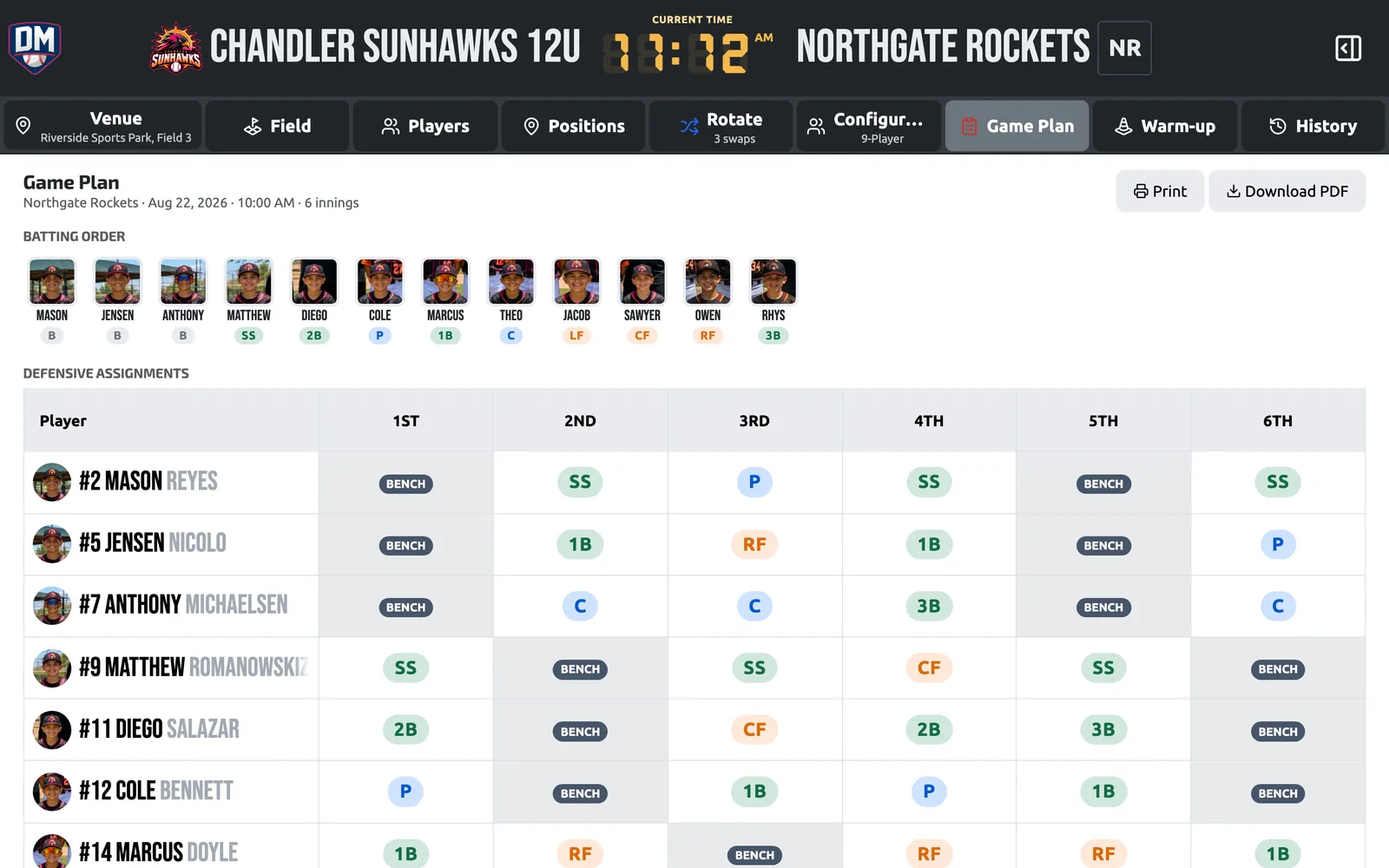
Game Plan View
Every inning at a glance — positions and batting order on one screen or one printed page.
Live Staff Sync
Every coach sees the same lineup the moment it changes, from their own device.
PIN Lock & Undo
Require a coach PIN before anyone changes a live lineup, and roll back any change with full history.
Share & Print
A shareable lineup card, plain text for the group chat, or a printed backup for the fence.
Game day is free — lineups, auto-fill, position presets, league rule checks with one-click fixes, undo history, and shareable lineup cards included. Locking a live game behind a coach PIN is on Pro and Elite.
The Whole Game on One Sheet. Every Position in View.
The Game Plan puts every inning on one printable page for the dugout fence. The Positions view shows who is at every spot, inning after inning, so a fair rotation is visible at a glance.
Frequently asked questions
Evaluate. Develop. Practice. Play. Improve.
Ready to Own Game Day?
Build your first lineup in minutes and run the next game from your phone — free, no credit card.
Get Started14-day Pro Trial · No credit card required